The Segal 2026 benefits microsite provides details about the benefit offerings and cost for 2026.

The Segal 2026 benefits microsite provides details about the benefit offerings and cost for 2026.
Annual enrollment for 2026 benefit elections ended November 6, 2025. This was your once-a-year opportunity to make your 2026 benefit elections.
As part of our commitment to you, Segal invests in a comprehensive suite of benefits that support you and your family. Our holistic approach to well-being incorporates physical, emotional and financial health.
We are proud to invest in competitive benefits that help you take care of yourself and your family today and into the future.
We’re committed to helping you thrive — mind, body, and beyond. Discover more and make the most of our benefits with these:
*Available to eligible Aetna HDHP and Aetna PPO members.
While we’re all very busy, please don’t wait until the last minute to enroll in 2026 benefits. And please ensure your time zone in HRConnect is correctly set to your local time, so that your ability to make annual enrollment elections in HRConnect does not end earlier due to an inaccurate time zone. Instructions are available in Tools and Resources.
The elections you make during annual enrollment will take effect on January 1, 2026, and remain in place throughout the 2026 calendar year unless you have a qualifying life event, such as marriage, divorce, or the birth of a child. However, if Evidence of Insurability (EOI) is still pending for life, AD&D or LTD insurance as of January 1, 2026, that coverage will take effect upon the approval of EOI rather than on January 1.
NOTE:
If you are a Segal Marco CBU employee or a New York CBU staff member, you receive separate information regarding your Annual Enrollment benefits.
Review Burnalong's annual enrollment presentation to learn more about the program
Our comprehensive health and wellness benefit programs will include the following updates, effective January 1, 2026:
The 2026 annual enrollment webinar is a valuable resource to help you make smart choices about your benefits.
To help you get the most out of your benefits, here’s a quick and friendly guide to walk you through your enrollment steps. Just a heads-up: there are two separate sites you’ll use to complete everything.
*Employees with HRA balances will see a $39 decrease in their accounts. If you still have an HRA balance as of January 1, 2026, it will be reduced by the annual account administration fee of $39. Each subsequent January 1, HRA account balances again will be reduced by the annual administration fee, so you should continue to spend down your account.
The Health Care and Dependent Care Flexible Spending Accounts (FSAs) are a good way to save money by paying pre-tax for qualified expenses. The 2026 benefits microsite has a useful chart that shows you which FSAs you are eligible for based on your medical plan election. If you want to contribute to a Health Care and/or Dependent Care Flexible Spending Account in 2026, you must make an election during the annual enrollment period — your 2025 elections will not carry over automatically.
You must enroll if:
If you are not affected by the above, you do not need to take any action to update your benefit elections. However, you must still review your:
Ensure they are all correct. Report any discrepancies to Janet Arce and Winnie Tang no later than January 31, 2026.
You can find these required notices on the Tools and Resources page
Please click on the applicable benefits links on the left hand side for information about your Segal benefits.
Please click on the applicable health care benefit link on the left hand side for information about your Segal medical, prescription, dental, vision, tax-advantaged accounts and retiree health benefits.
Medical benefits include various plans to select from, including:
The Aetna High Deductible Health Plan (HDHP) with Health Savings Account (HSA)is a high deductible plan that provides comprehensive medical coverage through in-network providers who are affiliated with the Plan or through out-of-network providers who do not participate in the Plan's network. In-network preventive care is paid at 100%, with no coinsurance, no deductible and no copayment. All other services are subject to the deductible, coinsurance, and/or copays. It is important to note that the deductible applies to prescription drugs as well.
The tax-advantaged HSA is what really sets the HDHP apart from other traditional medical plans. The HSA allows you to contribute money from your paycheck, tax-free, into your HSA to help cover your deductible and other qualified healthcare expenses. Segal also makes contributions to your HSA. With an HSA, you’ll have the potential to build more savings for healthcare expenses or additional retirement savings through self-directed investment options.
Provider Network. The Aetna HDHP with HSA uses the Aetna Choice® POS II (Open Access) provider network. If you call a provider to check their network status, please be sure to ask specifically if they are in-network, rather than if they accept the coverage. Some providers accept the coverage, but on an out-of-network basis, which generally costs more.
Prescription drug coverage is provided through OptumRx. It is important that you understand how the prescription drug plan works for the Aetna HDHP plan.
In 2026 the Aetna HDHP deductibles and out-of-pocket maximum amounts are changing, and Segal's contribution to your HSA is also increasing.
|
Provision |
2026 Amount |
|
Deductible |
·In-Network: $1,850/$3,700* ·Out-of-Network: $4,750/$9,500* |
|
Out-of-pocket Maximum |
·In-Network: $4,750/$9,500* ·Out-of-Network: $8,750/$17,500* |
|
Coinsurance |
·In-Network: 10% Out-of-Network: 40% |
|
Company HSA Contribution |
$750/$1,500* |
*Employee/Employee plus One or Employee plus Family
You have access to the Aetna Back and Joint Care Services Partnership with Hinge Health.
The Aetna HDHP Transform Oncology program includes resources and support you may need to manage your cancer care, understand your benefits and locate the right providers.
The Aetna HDHP includes a variety of transition assistance transgender services*, such as:
*Coverage for gender transition services depends on certain federal laws.
The Aetna HDHP with HSA is covering 3 lifetime attempts of Advanced Reproductive Technology (ART) infertility treatment as long as the definition of infertility is met and prior required steps are taken. Please see the Summary of Benefits, Booklet Certificate and Schedule of Benefits for full details and limitations. Note: The Aetna PPO does not include ART coverage.
The Aetna HDHP with HSA also provides access to even more helpful services at no extra cost, including:
View the 2026 Aetna HDHP Summary of Benefits and Coverage (SBC) and the 2026 Aetna HDHP Summary of Benefits.
Learn more about how the HSA works.
View the 2026 Aetna HDHP Booklet Certificate and the 2026 Aetna HDHP Schedule of Benefits for the details of your healthcare benefits, your share of the costs and which services are covered.
Your HSA consists of Segal's contributions and your own tax-free payroll contributions (if you elect to contribute).
2026 IRS contribution limits for HSAs are:
Maximums include Segal's contribution ($750 for Employee Only or $1,500 for Employee Plus One or Plus Family coverage, deposited each pay period throughout the year and pro-rated for new hires/elections). When determining your HSA annual election, please be sure to consider Segal's contribution.
Employees age 55 and over can contribute an additional $1,000 catch-up.
As you incur covered medical expenses, you pay for them directly out of your own pocket until you meet your annual deductible.
The Aetna PPO Plan (also known as Aetna Choice POS II) provides comprehensive medical coverage through in-network providers who are affiliated with the Plan or through out-of-network providers who do not participate in the Plan's network. In-network preventive care is paid at 100%, with no coinsurance, no deductible and no copayment. Most other services are subject to the deductible first then coinsurance or copay. It is important to note that the deductible applies to prescription drugs as well.
With the Aetna PPO Plan, you can visit any doctor you choose, and you don't need a referral to see a specialist. Nor do you have to choose a primary care physician (PCP).
Provider Network; The Aetna PPO uses the Aetna Choice® POS II (Open Access) provider network. If you call a provider to check their network status, please be sure to ask specifically if they are in-network, rather than if they accept the coverage. Some providers accept the coverage, but on an out-of-network basis, which generally costs more.
Prescription drug coverage is provided through OptumRx. It is important that you understand how the prescription drug plan works for the Aetna PPO plan.
You have access to the Aetna Back and Joint Care Services Partnership with Hinge Health.
The Aetna PPO Transform Oncology program includes resources and support you may need to manage your cancer care, understand your benefits and locate the right providers.
The Aetna PPO includes a variety of transition assistance transgender services*, such as:
*Coverage for gender transition services depends on certain federal laws.
The Aetna PPO also provides access to even more helpful services at no extra cost, including:
The Aetna PPO plan does not cover Advanced Reproductive Technology (ART), unlike the Aetna HDHP with HSA.
View the 2026 Aetna PPO Summary of Benefits and Coverage and the 2026 Aetna PPO Summary of Benefits.
View the 2026 Aetna PPO Booklet Certificate and the 2026 Aetna PPO Schedule of Benefits for the details of your healthcare benefits, your share of the costs and which services are covered.
As you incur covered medical expenses, you pay for them directly out of your own pocket until you meet your annual deductible.
Managed Care Plans including Health Maintenance Organizations (HMOs), and Exclusive Provider Organizations (EPOs) are offered in different geographic regions across the country. You may enroll in a managed care organization if you live within the geographic area in which it is offered. Please note: if enrollment in a managed care plan falls below ten employees, the managed care plan may not be offered going forward.
An important feature of a managed care plan is the Primary Care Physician (PCP). You must choose a PCP, who will then coordinate your care with other providers in the managed care plan. Typically, you need your PCP's authorization before you can see another medical provider.
Here are descriptions of the benefit coverage for each managed care organization.
If you are participating in either the Aetna PPO or HDHP Plan, your prescription drug “Rx” coverage is NOT provided by Aetna, but rather by OptumRx, our Pharmacy Benefit Manager (PBM). Eligibility for the Rx program is the same as that for the medical program. As soon as you enroll for either of the Aetna medical plans noted above, you will also be enrolled in the OptumRx prescription drug program. NOTE: you will receive separate ID cards. Do not use your Aetna ID card for prescription drugs, rather, always use your OptumRx ID card for prescriptions.
Employee contributions are included in the medical plan contributions.
Prescription drugs are grouped into preventive and non-preventive medications.
Copays and coinsurance for prescription drugs, after the annual deductible has been satisfied (where applicable):
|
|
Retail (30 day) at any Participating Retail Pharmacy |
Retail (90 day) at Walgreen’s/Duane Reade Only |
|
|
Tier 1 (Generic) |
10% coinsurance, minimum $7.50 copay/ maximum $30 copay |
10% coinsurance, minimum $15 copay/ maximum $60 copay |
10% coinsurance, minimum $15 copay/ maximum $60 copay |
|
Tier 2 (Preferred Brand) |
20% coinsurance, minimum $20 copay/maximum $100 copay |
20% coinsurance, minimum $40 copay/maximum $200 copay |
20% coinsurance, minimum $40 copay/maximum $200 copay |
|
Tier 3 (Non-Preferred Brand) |
30% coinsurance, minimum $40 copay/maximum $200 copay |
30% coinsurance, minimum $80 copay/maximum $400 copay |
30% coinsurance, minimum $80 copay/maximum $400 copay |
|
Specialty |
30 Days' Supply Limit at Optum Specialty Mail Generics: 10% coinsurance, minimum $15 copay/maximum $60 copay Preferred Brands: 20% coinsurance, minimum $40 copay/maximum $200 copay Non-Preferred Brands: 30% coinsurance, minimum $80 copay/maximum $400 copay
More than 30 Days' Supply Limit at Optum Specialty Mail, only for select specialty drug classes Generics: 10% coinsurance, minimum $30 copay/maximum $120 copay Preferred Brands: 20% coinsurance, minimum $80 copay/maximum $400 copay Non-Preferred Brands: 30% coinsurance, minimum $160 copay/maximum $800 copay
|
||
Prescription Plan Features
Network: OptumRx has a well-established national network of pharmacies through which you may fill prescriptions. If you use one of OptumRx’s participating pharmacies, your out-of-pocket costs may be lower than if you use a non-participating pharmacy. You can obtain an up to date listing of participating pharmacies by visiting the OptumRx web site at www.OptumRx.com. You can also call OptumRx at 866-837-9242. Be sure to register at the OptumRx website, so that you have access to your medication information easily online; you can order renewals, print out ID cards, etc.
When obtaining your prescriptions, you can receive up to a 30-day supply at a retail Participating Pharmacy or up to a 90-day supply at OptumRx mail order. You can also receive a 90-day supply from Walgreens or Duane Reade. Specialty drugs must be obtained through Optum Specialty and have varying day supply requisites.
Formulary: OptumRx has negotiated preferred pricing on certain drugs, included on a list called a formulary. As a result of this preferred pricing (which is often on drugs by different manufacturers for the same medical condition), lower co-payments are offered on the formulary drugs. You can obtain a copy of the formulary by contacting OptumRx at the phone number or web site shown above. Formulary information is subject to change based on drug updates or market changes. Therefore, using the app, website or customer service is the best way to confirm pricing and tier placement/exclusion.
Mail Order Program: The mail order program is designed to be more convenient and less expensive for you to obtain medications you take on an ongoing basis, such as those used to treat chronic conditions.
Your co-payment per prescription will be 10% coinsurance, minimum copay $15 and maximum copay $60 for each generic drug obtained. If there is no generic equivalent and you can use a drug on the Formulary, you will pay 20% of the Pharmacy Payment Rate, with a minimum of $40 and maximum of $200. If you obtain a non-formulary drug, you will pay 30% of the Pharmacy Payment Rate, with a minimum of $80 and maximum of $400.
If you insist on a brand name prescription drug when there is a generic equivalent and your physician does not indicate “Dispense As Written,” you will be responsible for the cost difference between the brand name drug and its generic equivalent, plus the applicable co-payment or coinsurance.
Specialty Drug Program: In addition to the existing retail pharmacy network, OptumRx contracts with a specialty pharmacy, Optum Specialty. Optum Specialty can help you fill a new prescription. Please call Optum Specialty at 855-427-4682.
Step-Therapy: For certain prescriptions, participants are required to first try one or more specified drugs to treat a particular medical condition before the plan will cover another (usually more expensive) drug that the doctor may have prescribed.
The generic equivalent of the prescription drug will be dispensed to you at a cost of 10% coinsurance, minimum $7.50 copay/ maximum $30 copay.
If there is no generic equivalent and you can use a drug on the Formulary, at retail for 30 day supply you will pay 20% of the Pharmacy Payment Rate, with a minimum of $20 and maximum of $100. If you obtain a non-formulary drug, you will pay 30% of the Pharmacy Payment Rate, with a minimum of $40 and maximum of $200.
If you insist on a brand name prescription drug when there is a generic equivalent and your physician does not indicate “Dispense As Written,” you will be responsible for the cost difference between the brand name drug and its generic equivalent, plus the applicable co-payment or coinsurance.
Price Edge: Price Edge is a simple way for members to save on non-specialty, generic drugs covered or not. The OptumRx claim system will scan discount card market pricing and compare it to the benefit, providing a competitive price. You will have an improved member experience because OptumRx will retain your medical history for drug and clinical programs.
Clinical Utilization Management
Prior Authorization, Fill Limits, and Exclusions: Some prescription drug medications are subject to prior authorization, to limitations on the amount for which the prescription will be filled, or to exclusions under this Plan. For a complete list of these medications, contact OptumRx.
Copay Card Accumulator Adjustment Program and Variable Copay Program: The copay card accumulator adjustment program provides that copay assistance program amounts will not count towards the member’s cost share for the deductible and out of pocket maximum. The variable copay program allows members to receive maximum benefits from copay assistance programs by paying the copay indicated by the copay assistance program and not more than the current specialty design cost share.
Split Fill and Smart Fill Programs plus 30 Days’ Supply Limit on Specialty Drugs:
The Split Fill Program for Oral Oncology Medications fills half the prescription twice a month, rather than a full prescription once a month, when a patients starts a new regimen of oral oncology medications. Patients who tolerate the new drug for three months will be eligible for the standard days’ supply for duration of therapy. Member copays would be pro-rated to reflect the lower days’ supply.
The Smart Fill Program allows 90 days’ supply fill for select specialty drug classes Multiple Sclerosis, Inflammatory Conditions, and Transplant drug classes.
There is a 30 days' supply limit on non-smart fill program specialty drugs.
The OptumRx Vigilant Drug Program helps ensure members only pay for the most clinically appropriate and affordable medications. The program includes clinical quality strategies to drive clinical appropriateness and cost savings.
Claims and Appeals: Claims and appeals should be submitted to OptumRx, at the address available through the website, telephone, or on your OptumRx prescription drug card.
Additional Information. Please note that Formulary information is subject to change based on drug updates or market changes. Therefore, using the app, website or customer service is the best way to confirm pricing and tier placement/exclusion.
Under the Dental PPO Plan, comprehensive dental coverage can be obtained through in-network participating providers (offering discounted fees) or through out-of-network providers who do not participate in the Dental PPO's network. If you call a provider to check their network status, please be sure to ask specifically if they are in-network, rather than if they accept the coverage. Some providers accept the coverage, but on an out-of-network basis, which generally costs more.
The Dental PPO is self-insured and administered by Guardian.
The choice of Dental PPO vendor is reviewed annually and is subject to change at any time.
Employee contributions are required, and are based on salary and coverage tier. Cost sharing is subject to change at any time.
If you waive dental coverage and then elect dental coverage in a subsequent year, you will automatically be enrolled in the Transition Dental Plan. The Transition Dental Plan costs the same as the Dental PPO and you have the option to visit a participating or non-participating dentist. However, during the first year, the Transition Dental Plan only covers diagnostic, preventive and basic restorative services; major restorative services and child orthodontia are not covered. During annual enrollment the following year, you will be automatically transferred to the full coverage Dental PPO.
View the Dental Plan Schedule of Benefits (Except New York CBU) or the Schedule of Benefits for New York CBU.
Additional Information:
The Company offers a voluntary Vision Plan that provides eye care and eyewear benefits. Employee contributions are pre-tax, and you can purchase a base plan or a buy-up plan through VSP Vision Care.
Employee contributions are subject to change at any time.
The choice of Vision Plan vendor is reviewed annually and is subject to change at any time.
Please click below to find more information on the tax-advantaged accounts offered.
Segal offers the following tax-advantaged accounts to help you pay for eligible medical, dental and vision expenses:
All accounts are funded through pre-tax contributions, either from you, Segal or both. The medical plan you select determines which account(s) you may participate in, as shown the the chart below.
| If you're in this plan... | You can use these tax-advantaged accounts... | |||
| HSA | HRA | HCFSA | DCFSA | |
| Aetna PPO Plan | X | X | X | |
| Aetna HDHP with HSA | X | X | X (limited-purpose HCFSA only) | X |
| HMO/EPO | X | X | X | |
| Waiver of Segal-sponsored coverage | X | X | ||
| HSA | HRA | HCFSA | Limited-purpose HCFSA | |
| Account Overview | Created at WEX in your name; use to pay for eligible healthcare expenses | Pertains only to those that continue to have a balance in this account which is no longer offered | Created at WEX in your name; use to pay for eligible healthcare expenses | Created at WEX in your name; use to pay for eligible healthcare expenses |
| Who contributes to the account? | You and Segal | N/A in 2026 | You | You |
| What eligible expenses may be reimbursed? | Healthcare expenses | Healthcare expenses; becomes limited-purpose HRA if you elect HDHP with HSA option for 2026, which can be used only for dental and vision expenses | Healthcare expenses | Limited only to dental and vision expenses |
| Tax benefits? | Tax-free on deposits, earnings, and reimbursements for eligible healthcare expenses | Tax-free reimbursements for eligible healthcare expenses | Tax-free contributions and reimbursements for eligible healthcare expenses | Tax-free contributions and reimbursements for eligible healthcare expenses |
| Can unused dollars roll over from one year to the next? | Yes | Click here to find out what happens to your HRA balance | You can roll over up to $660 from 2026 to 2027 | You can roll over up to $660 from 2026 to 2027 |
| Access to funds when you leave Segal? | Yes, your HSA is always yours | No, not unless you elect COBRA or are retirement-eligible | You can continue using your FSA through the remainder of the calendar year only if you elect COBRA | You can continue using your FSA through the remainder of the calendar year only if you elect COBRA |
A Health Savings Account (HSA) is available to you only if you are enrolled in the High Deductible Health Plan (HDHP). An HSA is a type of savings account used to pay for eligible medical, dental and vision expenses, including the deductible. You may set aside money in the HSA on a pre-tax basis. By using untaxed HSA dollars to pay for deductibles, copayments, coinsurance, and some other eligible expenses, you may be able to lower your overall health care costs. The company generally contributes to your HSA. HSA funds rollover year to year if you don't spend them so they also allow you to save for future health care expenses.
The HSA account administrator is WEX.
Eligible HSA contributions are subject to state income tax if you live in certain states. Also note that some states may tax investment earnings. Please consult a tax advisor for details.
Health Savings Accounts for those who are Medicare Eligible (Age 65+)
Here are some important facts to consider as you approach Medicare eligibility. Once you are enrolled in Medicare, you are no longer eligible to make contributions to your HSA. If you’re eligible for Medicare but do not enroll in Medicare Part A, B or D, you can still contribute to your HSA.
Medicare Part A
Eligibility to contribute to an HSA if your Spouse is under 65
If you are not allowed to make contributions to your HSA due to Medicare enrollment, you may be able to make deposits into your spouse’s HSA if:
You will only be allowed to deposit after-tax funds into your spouse’s HSA bank account up to his/her annual allowed maximum. The tax deduction would be taken later when filing taxes for that year. Segal is never allowed to deposit employer funds into a spouse’s HSA.
Eligibility to contribute to an HSA when your spouse turns 65
Your spouse’s enrollment in Medicare doesn’t provide coverage for you, so you remain eligible to contribute to your HSA as long as you aren’t covered by a non-HSA qualified plan, including not being enrolled in Medicare. Your spouse’s qualified medical expenses are still eligible for reimbursement from your HSA even though your spouse is enrolled in Medicare.
Using existing HSA Funds at age 65
After Medicare enrollment you can use your existing HSA funds to pay for Medicare and IRS approved health insurance premiums (including Segal sponsored health insurance).
Once you are age 65, you may withdraw funds from your HSA without penalty. Distributions remain tax deductible if they’re used to pay for qualified medical expenses.
Once you enroll in Medicare, you can use HSA distributions to pay for Medicare Parts A and B, Medicare Advantage plans (Part C), and Medicare prescription drug plans (Part D) premiums. You cannot use HSA distributions to pay for Medicare supplemental policies or Medigap.
2026 IRS contribution limits for HSAs are:
Maximums include Segal's contributions. Employees age 55 and over can contribute an additional $1,000 catch-up.
You can withdraw funds from your HSA at any time to reimburse part or all of your eligible expenses, including deductibles, prescription drug expenses, copays and coinsurance. To do this...
If you leave Segal and no longer participate in an HDHP, you can:
If you use your HSA for non-qualified expenses, your HSA will be taxable. Plus you'll be required to pay a 20% penalty if you make the non-qualified withdrawal before age 65.
Employees with HRA account balances need to take action to spend down HRA account balances. Segal pays a monthly administrative fee to maintain these HRA accounts, and several HRA balances are lower than the account administration fee. On an annual basis, Segal lowers all HRA account balances by an amount close to the annual administration fee.
The HRA account administrator is WEX.
What happens to Your HRA Balance if...
You enroll in the Aetna HDHP with HSA:
You enroll in the Aetna PPO Plan:
You enroll in an HMO/EPO:
You retire from Segal:
You Leave Segal:
You forfeit your account
There are three types of FSAs, all administered by WEX:
The HCFSA is a tax-advantaged account that lets you pay for eligible medical, dental and vision expenses. The LP HCFSA is only for eligible dental and vision expenses. For your HCFSA or LP HCFSA, you may roll over up to 20% of unused funds from one year to the next.
DCFSAs let you pay for eligible home or daycare expenses for qualifying dependents. You are eligible for a DCFSA if you, and your spouse if applicable, are working or looking for work or in school full time. Consult with a tax advisor for more information.
For the HCFSA, LP HCFSA and DCFSA, your 2026 election is set at waived. If you wish to have any FSA in 2026, you must make an active election and state your annual contribution. You cannot make a change during the year unless you have a qualifying life event. For claims you incur during the year, your claim submission deadline is no later than 90 days after the end of the year.
To pay for an eligible HCFSA, LP HCFSA or DCFSA expense, use your WEX Card or submit a receipt for reimbursement.
The IRS sets maximum contribution limits for FSAs. For 2026, you may contribute up to:
| HSA | HCFSA | Limited-purpose HCFSA | |
| Who “owns” account? | You | Segal | Segal |
| Account Overview | Created at WEX in your name; you can use to pay for eligible medical expenses tax-free. | Created at WEX in your name; you can use to pay for eligible medical expenses tax-free. | Created at WEX in your name; you can use to pay for eligible dental and vision expenses tax-free. |
| Who contributes to the account? | You, Segal | You | You |
| What distributions are allowed? | Distributions are for qualified medical expenses, which are not taxable. You can use the WEX card to pay for expenses. | Limited to qualified medical expenses only. You can use the WEX card to pay for purchases. | Limited to qualified dental and vision expenses only. You can use the WEX card to pay for purchases. |
| Substantiation of expenses | You may be required to submit proof of expense (EOB, receipt, etc.). | You are required to submit proof of expense (EOB, receipt, etc. unless auto-substantiated) | You are required to submit proof of expense (EOB, receipt, etc. unless auto-substantiated) |
| Federal tax benefits? | Tax-free on deposits, earnings, and distributions for qualified medical expenses. | Contributions and claim reimbursements are tax- free | Contributions and claim reimbursements are tax- free |
| Can unused dollars rollover? | Yes. Funds always belong to you. | You can roll over up to 20% | You can roll over up to 20% |
| Access to funds after termination? | When you terminate or retire, you continue to maintain ownership of your HSA | When you terminate or waive Segal medical coverage, you don't remain eligible for an FSA, though limited COBRA rights may be available | When you terminate or waive Segal medical coverage, you don't remain eligible for a limited-purpose FSA, though limited COBRA rights may be available |
Retiree Health Plan Information
Information about Retiree Health is contained in the U.S. Employee Benefits Guide, in the Health and Dental Coverage after Retirement section.
Here is more information regarding Retiree Health:
Please click on the applicable insurance benefit link on the left hand side for information about your Segal disability and life insurance.
If your absence from work because of an injury or illness is expected to exceed 5 days, you may be eligible for Short-Term Disability (STD)/salary continuation coverage, which enables you to maintain a portion of your salary.
Under STD/salary continuation, if you receive disability benefits from other sources (such as Social Security, State Disability Insurance, or Workers’ Compensation), your total monthly benefit from all sources is limited to 80% of your monthly covered salary.
Segal pays the full cost of coverage for employees in all offices except jurisdictions with mandated plans where both the Company and the employees contribute.
The Hartford pays approved short-term disability claims directly to employees. Segal payroll pays approved salary continuation benefits directly to employees.
If you've been totally disabled for longer than 180 days, the Long-Term Disability (LTD) Plan provides income replacement equal to a designated percentage of your annual covered salary. If you receive disability benefits from other sources (such as Social Security, State Disability Insurance, or Workers’ Compensation), your total monthly benefit from all sources is limited to 80% of your monthly covered salary.
Benefits received under Basic LTD are generally taxable if coverage is purchased on a before-tax basis and non-taxable if purchased on an after-tax basis. Your coverage contributions will be before-tax unless you elect for them to be after-tax. Under the Additional Low and High Option Plans, you pay for coverage on an after-tax basis.
Basic Group Term Life Insurance is provided by the Company at no cost to you. You may elect coverage equal to: one times covered earnings rounded to the next higher $500 up to a maximum of $50,000, or coverage equal to a flat $5,000.
If you elect coverage equal to one times covered earnings, on the January 1 following your 65th birthday, the amount of your Basic Group Term Life Insurance coverage will be reduced as follows:
| At Age... | Coverage reduces To... |
| 65 | 65% of the amount then in effect |
| 70 | 40% of the amount then in effect |
| 75 | 25% of the amount then in effect |
Coverage, however, will be reduced to no lower than $10,000.
During Annual Enrollment, you may designate a beneficiary for your Basic Group Life insurance online at the Designations page during the enrollment process.
If you do not designate a beneficiary, your spouse (if applicable) will be the default beneficiary. If you do not have a spouse, or your spouse dies before you, your children (if applicable) will become the default beneficiaries. If you do not have children or your children predecease you, your parents (if applicable) will become the default beneficiaries. If you do not have parents or your parents predecease you, your siblings (if applicable) will become the default beneficiaries. If you do not have siblings, the beneficiary will be your estate.
The Hartford is your supplemental life, supplemental dependent life, and Accidental Death & Dismemberment insurer.
If you elect Basic Group Life Insurance of one times salary (to a maximum of $50,000), you may purchase supplemental life insurance for you and supplemental dependent life insurance for your spouse or spousal equivalent and/or children.
For You: You may purchase supplemental coverage of up to four times your salary, in increments of $10,000, to a maximum of $1,000,000 coverage. Coverage up to the lesser of three times salary or $400,000 coverage is guaranteed without medical evidence of insurability for employees enrolling under the Flexible Benefits Program for the first time. Current participants in the Flexible Benefits Program who wish to increase their coverage or who previously waived supplemental life coverage and now want to elect coverage are subject to evidence of insurability.
For Your Spouse/Spousal Equivalent: You may purchase life insurance coverage of up to the lesser of 50% of your coverage or $50,000, in $10,000 increments for spouse or spousal equivalent supplemental dependent life coverage. Coverage of $10,000 is guaranteed without evidence of insurability if you are electing spouse or spousal equivalent supplemental dependent life coverage under the Flexible Benefits Program for the first time. If both the employee and spouse or spousal equivalent are employed by The Segal Group, they may elect coverage as an employee or spouse, but not as both.
For Your Dependent Children: If you elect supplemental life for yourself, you may purchase children's supplemental dependent life insurance coverage of $10,000 for each dependent child. Children must be under age 26 to be eligible.
Accidental Death & Dismemberment (AD&D): You may also elect AD&D for yourself and for your spouse or spousal equivalent and/or your dependent children under age 26.
You may elect AD&D coverage in increments of $10,000, subject to the lesser of $1,000,000 or 4 times your annual earnings. You may elect dependent AD&D for your spouse or spousal equivalent in increments of $10,000 up to the lesser of 50% of your coverage or $50,000, subject to a minimum of $10,000 and a maximum of $50,000. You may elect dependent AD&D for your dependent children to age 26 in the amount of $10,000 for each dependent child.
AD&D offers accidental injury benefits if you or your covered family members are seriously injured in an accident covered by the program, and insurance benefits if you, your covered spouse or children are killed in an accident covered by the program.
Enrollment: Segal currently provides enough benefit credits for you to purchase supplemental life insurance coverage equal to one times your salary at the non-smoker rate. You pay a monthly rate per $1,000 of additional coverage based on your age and whether you smoke. Premiums are paid on an after-tax basis. You pay the entire premium for supplemental spouse or spousal equivalent and dependent children life and/or AD&D insurance.
Please click on the applicable benefits links on the left hand side for information about your Segal benefits.
Annual enrollment ended November 6, 2025. This was your once-a-year opportunity to make your 2026 benefit elections.
As part of our commitment to you, Segal invests in a comprehensive suite of benefits that support you and your family. Our holistic approach to well-being incorporates physical, emotional and financial health.
We are proud to invest in competitive benefits that help you take care of yourself and your family today and into the future.
Our comprehensive health and wellness benefit programs will include the following update, effective January 1, 2026:
Please note that if Canada regulations impact our ability to offer Telehealth during 2026, you will be notified of any changes.
For 2026 Segal is continuing to pay the full cost of the medical and dental coverage offered through Manulife.
Supplemental life, AD&D, spouse and dependent life and AD&D, and supplemental long-term disability employee rates are not increasing in 2026.
Through our Stay Well at Segal program, you have access to a wide range of mental health benefits — all designed to help you feel your best.
With Lyra Health, you and your eligible family members can enjoy up to eight free short-term therapy or coaching sessions each year. Whether you're looking for individual therapy, couples counseling, family support, or help managing psychiatric medications, Lyra’s got you covered. They’ll guide you through care options, match you with the right provider, and even help schedule your appointments. Plus, Lyra offers a rich library of self-care tools — think guided meditations, helpful videos, and a mobile app to keep wellness at your fingertips.
You can save money by submitting for reimbursement of eligible well-being expenses through the Everyday well-being program.
We’re committed to helping you thrive — mind, body, and beyond. Discover more and make the most of our benefits with these:
To help you get the most out of your benefits, here’s a quick and friendly guide to walk you through your enrollment steps. Just a heads-up: there are three separate sites you’ll use to complete everything.
While we’re all very busy, please don’t wait until the last minute to enroll in 2026 benefits. And please ensure your time zone in HRConnect is correctly set to your local time, so that your ability to make annual enrollment elections in HRConnect does not end earlier due to an inaccurate time zone. Instructions are available on this microsite.
The elections you make during annual enrollment will take effect on January 1, 2026, and remain in place throughout the 2026 calendar year unless you have a qualifying life event, such as marriage, divorce, or the birth of a child. However, if Evidence of Insurability (EOI) is still pending for life, AD&D or LTD insurance as of January 1, 2026, that coverage will take effect upon the approval of EOI rather than on January 1.
You must enroll if:
If you are not affected by the above, you do not need to take any action to update your benefit elections. However, you must still review your:
Ensure they are all correct. Report any discrepancies to Janet Arce and Winnie Tang no later than January 31, 2026.
If you have questions about your benefits or need a little help enrolling through HRConnect, our benefits team is here for you during office hours throughout the enrollment period.
Check out the Virtual Health Fair Calendar of Events to find office hours and see when our benefit vendor partners will be available to chat and answer your questions directly.
Supplemental Health Care
Segal provides a Supplemental Health Care Benefits Program, including extended health care and dental care, designed to supplement provincial health insurance coverage.
The Extended Health Care provides benefits designed to supplement provincial health insurance coverage. Supplemental healthcare benefits also include dental benefits. For a description of Extended Healthcare and Dental Care, please see the Benefits Summary. Once you are enrolled you may also see full details via Manulife.
As a reminder, your Extended Health Care includes Akira Healthcare Online. You have 24/7 secure access to Canadian healthcare professionals from your mobile device or computer. Sign up if you haven't already
Life and AD&D Insurance and Disability Insurance
Segal provides basic group term life and AD&D insurance, short-term disability and basic long-term disability to eligible Canada employees, which shows in HRConnect. Eligible Canada employees may also enroll in supplemental life and AD&D insurance as well as spouse and/or child life insurance. Additionally, eligible Canada employees may also enroll in supplemental long-term disability insurance.
The Hartford offers the opportunity this annual enrollment to enroll in coverage subject to Evidence Of Insurability (EOI):
If you are currently enrolled, you still can make changes to your supplemental life and AD&D, subject to any applicable Evidence of Insurability (EOI) requirements, or to discontinue your current supplemental coverage.
You enroll for supplemental LTD coverage as well as supplemental life and/or AD&D and spouse/child life and/or AD&D coverage, directly with The Hartford:
You may receive emails directly from The Hartford at Benefits@thehartford.com.
Segal’s medical trend projection for 2026 is just over 9% for HDHP and PPO plans. The company will continue to absorb a larger percentage of the increase than will be passed on to employees. As a result, the Aetna HDHP and PPO premium is increasing 2.5%, less than the 2025 increase for each plan. These are our self-insured plans in which the majority of employees are enrolled. For our fully insured plans, Segal has less control over rates. These plans include our Aetna EPO, Emblem Health HMO and Kaiser HMO. Premium increases for these plans vary at 18%, 4% and 8%, respectively. Because Segal health benefit contributions are based on salary tier to be more equitable, employee contributions on average reflect these premium increases.
You can help manage costs by selecting coverage that is right for you and your family, getting preventive care screenings and staying in-network.
After 3 years without any increase to our Guardian dental contributions, we will have an increase of approximately 8% for 2026. The increase is on average less than an additional $2 per month.
We are not increasing employee contributions for the VSP vision plan offerings for the 4th consecutive year.
Supplemental life, AD&D, spouse and dependent life and AD&D, and supplemental long-term disability employee rates are also not increasing in 2026. You can see 2026 flex credits and contribution rates by visiting the medical coverage, dental coverage, and vision coverage pages.
The amount you pay for medical coverage depends on
The cost of coverage is the price tag. Segal provides you medical flex credits to offset the price tag. Flex credits are allocated by salary band:
Annual Salary Monthly Flex Credit
Under $77,000 $424
$77,000-$134,999 $400
$135,000-$199,999 $376
$200,000 and above $352
The chart below shows how much you will pay for medical coverage each month based on your salary band, after the flex credits are deducted from the price tag. It also compares pricing for all available medical plans, including those plans that may be outside of your area. All rates are monthly and effective January 1, 2026.
When you log in to HRConnect to elect your medical coverage for 2026, you will see your pay-period cost (the monthly price tag less the flex credit, divided by two). HRConnect also shows the full pay-period price tag and the flex credit. On your paystub, you will see the pay-period price tag and the pay-period flex credits (all flex credits are added together on paystubs). The price tags less the flex credits equal your net out-of-pocket cost.
Note for Part-time Employees: if you are working less than the standard office hours, your medical flex credits will reflect the percentage of hours you work. For example, if you are working a 60% schedule and your salary is between $77,000-$134,999, your medical flex credits will be 60% of $400, or $240 per month. As such, the chart below will NOT have your correct net out-of-pocket cost. For your out-of-pocket cost, review your benefit enrollment in HRConnect.
Note for Employees who Waive Medical Coverage: You must re-select the medical waiver each year. You must attest to having other minimum essential coverage at least every plan year in which you waive coverage.
| Salary Band (Based on 10/1/25 salary) | |||||
|---|---|---|---|---|---|
| Plan | Coverage | Salary Under $77,000 | Salary $77,000 - $134,999 | Salary $135,000 - $199,999 | Salary $200,000 and Above |
| National Aetna Plans Your Monthly Cost | |||||
| Aetna PPO (also known as Aetna Choice POS II) |
Employee Only | $115 | $139 | $163 | $187 |
| Employee Plus One | $445 | $469 | $493 | $517 | |
| Employee Plus Family | $924 | $948 | $972 | $996 | |
| Aetna HDHP with HSA | Employee Only | $62 | $86 | $110 | $134 |
| Employee Plus One | $320 | $344 | $368 | $392 | |
| Employee Plus Family | $716 | $740 | $764 | $788 | |
| HMO/EPOs | |||||
| Aetna EPO - CA, DC, GA, NJ, and NY | Employee Only | $738 | $762 | $786 | $810 |
| Employee Plus One | $2,965 | $2,989 | $3,013 | $3,037 | |
| Employee Plus Family | $4,501 | $4,525 | $4,549 | $4,573 | |
| Emblem Health HIP of New York | Employee Only | $447 | $471 | $495 | $519 |
| Employee Plus One | $924 | $948 | $972 | $996 | |
| Employee Plus Family | $1,714 | $1,738 | $1,762 | $1,786 | |
| Kaiser - Northern California | Employee Only | $282 | $306 | $330 | $354 |
| Employee Plus One | $648 | $672 | $696 | $720 | |
| Employee Plus Family | $1,069 | $1,093 | $1,117 | $1,141 | |
| Kaiser - Southern California | Employee Only | $282 | $306 | $330 | $354 |
| Employee Plus One | $648 | $672 | $696 | $720 | |
| Employee Plus Family | $1,069 | $1,093 | $1,117 | $1,141 | |
The amount you pay for dental coverage depends on
The cost of coverage is the price tag. Segal provides you dental flex credits to offset the price tag. Flex credits are allocated by salary band:
Annual Salary Monthly Flex Credit
Under $77,000 $60
$77,000-$134,999 $57
$135,000-$199,999 $54
$200,000 and above $51
The chart below shows how much you will pay for dental coverage each month based on your salary band, after the flex credits are deducted from the price tag. All rates are monthly and effective January 1, 2026.
When you log in to HRConnect to elect your dental coverage for 2026, you will see your pay-period cost (the monthly price tag less the flex credit, divided by two). HRConnect also shows the full pay-period price tag and flex credit. On your paystub, you will see the pay-period price tag and the pay-period flex credits (all flex credits are added together on paystubs). The price tags less the flex credits equal your net out-of-pocket cost.
Note for Part-time Employees: if you are working less than the standard office hours, your dental flex credits will reflect the percentage of hours you work. For example, if you are working a 60% schedule and your salary is between $77,000-$134,999, your dental flex credits will be 60% of $57, or $34.20 per month. As such, the chart below will NOT have your correct out of pocket cost. For your out of pocket costs, review your benefit enrollment in HRConnect.
| Your Monthly Cost per Salary Band (Based on 10/1/25 salary) | |||||
|---|---|---|---|---|---|
| Plan | Coverage | Salary Under $77,000 | Salary $77,000 - $134,999 | Salary $135,000 - $199,999 | Salary $200,000 and Above |
| Guardian Dental | Employee Only | $8 | $11 | $14 | $17 |
| Employee Plus One | $21 | $24 | $27 | $30 | |
| Employee Plus Family | $41 | $44 | $47 | $50 | |
The chart below shows how much you will pay for vision coverage each month beginning January 1, 2026.
| Base Plan | |
| Employee Only | $13.77 |
| Employee Plus One | $27.37 |
| Employee Plus Family | $44.00 |
| Buy-Up Option | |
| Employee Only | $22.10 |
| Employee Plus One | $43.62 |
| Employee Plus Family | $69.96 |
Please see the enrollment instructions below, or view the video for detailed enrollment instructions.
To help you get the most out of your benefits, here’s a quick and friendly guide to walk you through your enrollment steps. Just a heads-up: there are two separate sites you’ll use to complete everything.
Enrollments via HRConnect
You can make your 2026 Benefit Enrollment elections for medical, dental, vision, FSA, HSA, Basic group life beneficiary designations, basic long-term disability taxability from any computer that has access to the Internet, by logging on to My Apps.
From My Apps, select the HRConnect icon, then Me, then Benefits, and then:
Basic life and disability coverage, and the flex credit you receive toward the purchase of supplemental life insurance, show in HRConnect.
You can complete open enrollment changes in HRConnect as many times as you want during the annual enrollment period. Once the period is over, you will not be able to make any new elections for January 1.
Enrollments via The Hartford
Basic life and long-term disability coverage continues to show in HRConnect. Segal provides basic group term life and long-term disability insurance to eligible employees, who may also enroll in supplemental life and AD&D insurance as well as spouse and/or child life and AD&D and supplemental LTD insurance.
The Hartford offers the opportunity this annual enrollment to enroll in coverage subject to Evidence Of Insurability (EOI).
If you are currently enrolled, you still can make changes to your insurance coverage, subject to any applicable Evidence of Insurability (EOI) requirements, or to discontinue your current supplemental coverage.
You enroll for supplemental LTD coverage as well as supplemental life and/or AD&D and spouse/child life and/or AD&D coverage, directly with The Hartford:
You may receive emails directly from The Hartford at Benefits@thehartford.com.
Please click on the applicable wellness benefit links on the left hand side for information about your Segal benefits.
All Segal employees have access to Lyra Health, providing EAP services including clinical care services and e-learning platform and work-life services.
With Lyra Health, you and your eligible family members can enjoy up to eight free short-term therapy or coaching sessions each year. Clinical services include therapy treatment of psychological and psychiatric disorders, individual psychotherapy, marital and couples counseling, family therapy, group therapy, and psychiatric medication evaluation and management. The Lyra Care Navigation Team will help triage your issues, matching you with the right behavioral health or counseling provider, scheduling appointments, answering your questions, and assisting you with accessing educational materials. Lyra’s Concierge Advanced Care will help search for the most appropriate higher level of behavioral health care (ex. facilities or intensive outpatient care).
Lyra Learn is an e-learning platform with evidence-based interactive mental health courses. There are on-demand courses about mental health topics such as curing burnout and managing stress. Lyra also offers a library of self-care resources including meditations, videos and tactics, and a mobile app to access Lyra.
Lyra Gather is a group discussion safe space led by mental health experts.
Work-life services are also available, such as:
International employees have variations in work-life services:
Sign up or log in to Lyra Health at segal.lyrahealth.com or call Lyra Health at 833-511-0845.
Canadian employees can call Lyra Health at 1-800-874-3817.
Watch the Lyra Health 101 recording to learn more about Lyra Health: Candid Conversation - Lyra Health 101 January 31, 2025.mp4
The Resolutions Program provides a reward for completion of a health assessment. Health assessments provide both you and your health care plan with important information about your health. More importantly, the assessment is about you and for you—giving insight into your current state of health, what you’re doing right, and what you can do to improve your health. All information is kept confidential by the health plan, and is not disclosed to Segal.
Payments are considered taxable income to eligible employees.
Segal U.S. regular employees (excluding temporary Special Project Workers and Interns) regularly scheduled to work at least 60% of their office’s standard work hours and with at least 90 days of benefits-eligible service are eligible for the Resolutions Program.
The maximum reward for any eligible employee under the Resolutions Program in a single calendar year is $150 if full-time or $90 if part-time, comprised of a maximum $100 for your completion of a health assessment if you’re full-time or $60 if you’re part-time and $50 for your spouse/spousal equivalent completion of a health assessment if you’re full-time or $30 if you’re part-time.
Complete the Resolutions Program Reward Application and submit it along with the required supporting documentation by email to Janet Arce and Winnie Tang in HR – Benefits. The deadline for submission of an application for a reward for health assessment completed in any calendar year is December 31 of that calendar year.
The program outline and reward application are located in Templafy via Microsoft Word. You can search for Resolution Program Reward Application under find a Segal template.
The Everyday Well-being program is a lifestyle spending account (LSA) wellness program consisting of general everyday well-being, student loan repayments, and home purchase reimbursements.
As a regular employee who is regularly scheduled to work at least a 60% schedule of your office’s standard work hours, you are eligible for the everyday well-being program after 90 days of benefits-eligible service. You have until March 31 of the following year to file a request for reimbursement for a claim incurred in a calendar year. The amount reimbursed is considered taxable income to you at the time of reimbursement and Payroll will apply the appropriate taxation to your reimbursement.
The Everyday Well-being program provides reimbursements for up to $600 per year for eligible full-time employees and $360 for eligible part-time employees for any combination of eligible expenses related to:
If you are a U.S. employee, submit claims directly to WEX using the instructions found in the Everyday well-being program description link above.
If you are an international employee, use the Everyday Well-being claim form to request reimbursement.
If you are a full-time employee, Segal will reimburse you up to $500 per year—up to $2,500 total—to help pay back your student loans. Part-time employees may be reimbursed up to $300 per year for a total of $1,500.
The reimbursement may not be used for parent loans or for parents who cosigned on a student loan.
If you are a U.S. employee, submit claims directly to WEX using the instructions found in the Everyday well-being program description link above.
If you are an international employee, use the Student loan repayment claim form to request reimbursement.
Buying a home can be an exciting time, and it almost always comes with a long list of expenses, from closing costs and transaction fees to paying for movers and new housewares. If you are a full-time employee, Segal will celebrate your new home with a reimbursement of $1,000 toward the purchase of your primary residence. Part-time employees may receive $600.
You may receive the home purchase reimbursement once during your time at Segal.
If you are a U.S. employee, submit claims directly to WEX using the instructions found in the Everyday well-being program description link above.
If you are an international employee, use the home purchase reimbursement claim form to request reimbursement.
Burnalong wellness program for U.S. employees - Available through June 30, 2026 only
Register for Burnalong to access thousands of live and on demand classes and wellness programs spanning physical, mental and financial wellness. Get motivation from friends and family members you invite to join in. Receive AI-powered guidance plus access anytime, anywhere. To activate your free Burnalong account complements of Segal, go to www.join.burnalong.com/segal.
Burnalong+
You can also upgrade your membership and gain access to participating fitness locations for a flat monthly rate, currently $29. You could visit multiple gym locations with one subscription and try any participating gym.
If you need help registering for Burnalong, email customercare@burnalong.com.
Under Your Segal Benefits, Health Care, Medical, you will find descriptions of each medical plan offered.
Below are side-by-side comparisons of covered benefits under the various plans available regionally.
Medical Plan Comparison Charts
Take a look at the important notices posted below:
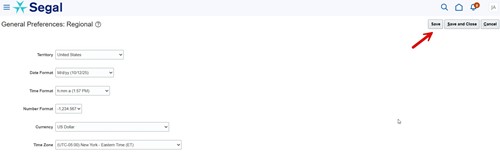
In order to check or set your time zone in HRConnect, please follow the steps below.
If you have any dependent listed more than once in HRConnect, you will be able to eliminate the duplication as you do your Annual Enrollment. When you launch the enrollment under Verify people you'd like to cover, edit any duplicate dependent by changing the last name by adding the word "test" to the end of the last name. The effective date for the edit must be the 1st day of annual enrollment (e.g., October 26, 2025 for January 1, 2026 enrollments). Then when enrolling, select only the dependents without "test" at the end of the last name for medical, dental, and vision coverage as well as for group life insurance beneficiaries. You must send a secure email to jarce@segalco.com with cc to wtang@segalco.com to notify Human Resources you have made this change. Your current enrollments through the end of the year may reflect dependents with "test" at the end of the name but these last names will not be sent to the benefit carriers. Your enrollments for the next year will show your dependent names properly, provided you have successfully completed this task.